Five lists. One question per item.
Getting Things Done® is a method in five steps: capture everything, clarify what each thing is, organise it onto a list, review the lists weekly, and engage with what fits now. tidemind follows that order and nothing else. Every screen in the app belongs to one of the five steps, and every item passes through them once.
The five lists
- Next actions
- Waiting for
- Scheduled
- Someday
- Reference
The one question per item
What is the next physical action, and which list does it belong to?
You read the book. You built the lists. Six weeks later the system was a longer to-do list with better headings.
Not because the method is wrong, but because every step asked you to decide something the tool could have counted.
GTD® works when the five steps cost less than the thinking they replace.
The steps
Capture
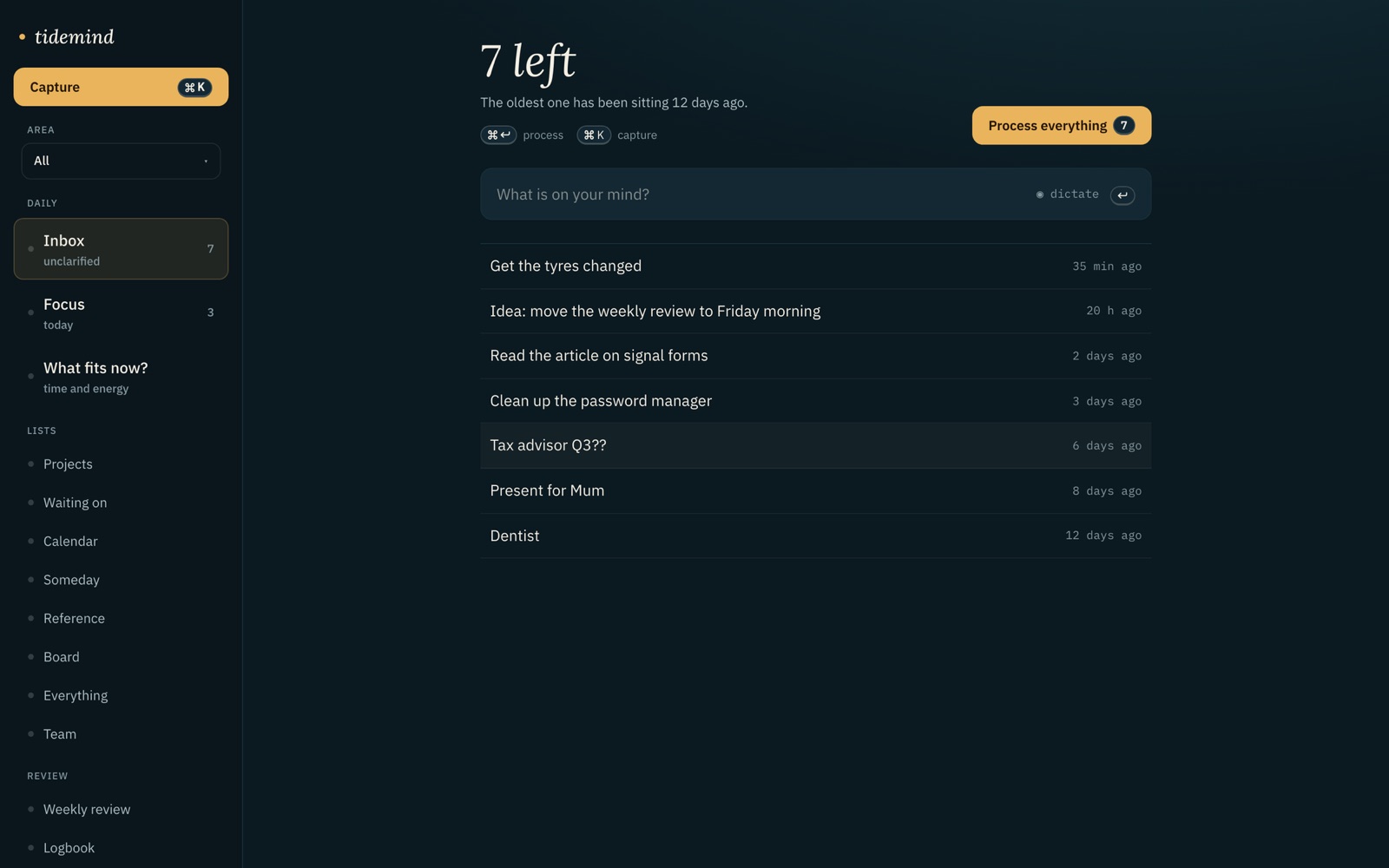
Everything goes into one inbox, unsorted: typed, dictated, forwarded by email, or captured by your assistant. Capturing is not deciding. The inbox is the only place where unclarified things are allowed to sit.Inbox zero →Clarify
One item at a time, one question: what is the next physical action, and which list does it belong to? Under two minutes, you do it now. tidemind proposes an answer; you confirm or change it.The two-minute rule →Organise
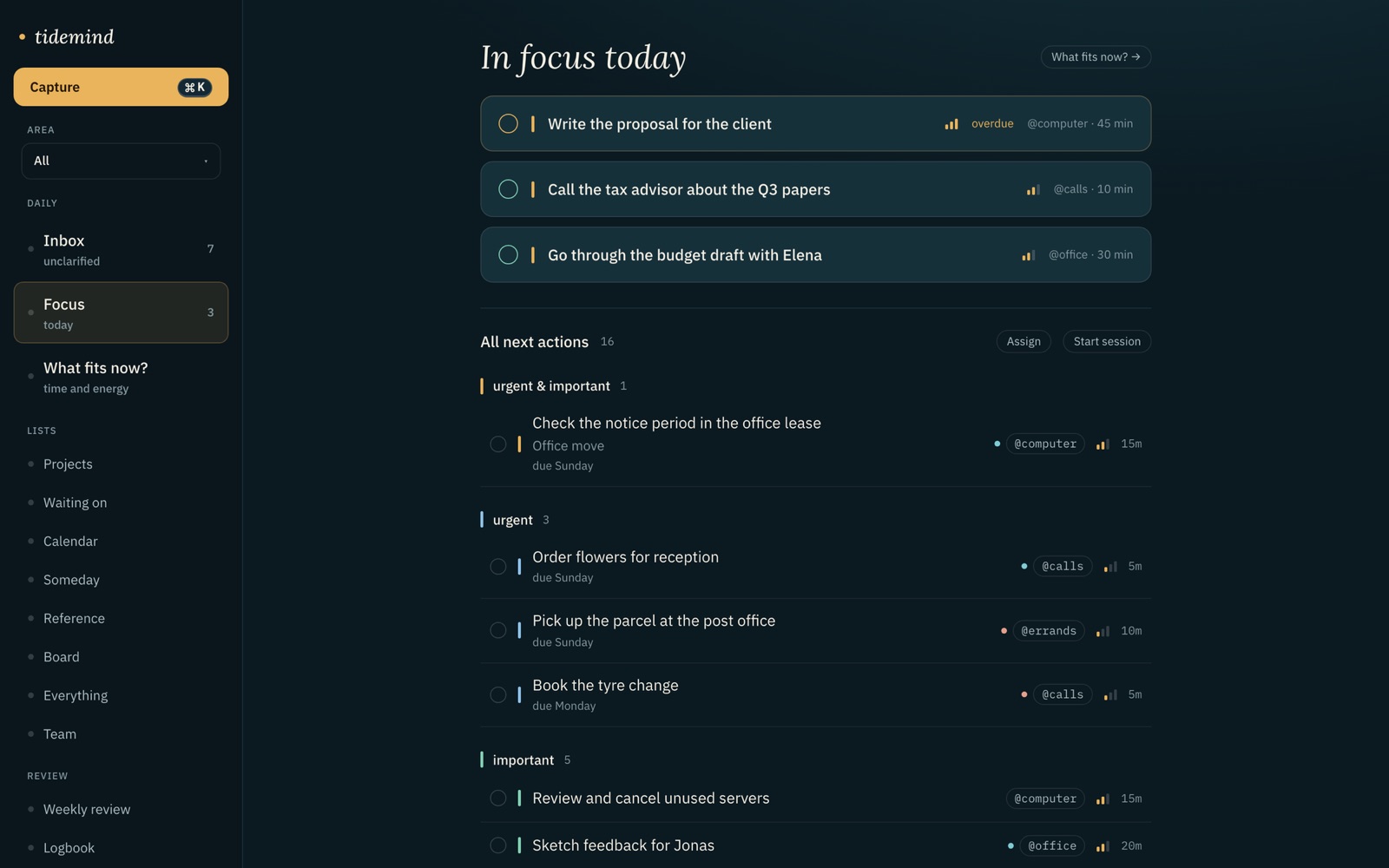
Five lists, no more: next actions, waiting for, scheduled, someday, reference. A next action gets one of six contexts, an estimate in minutes and an energy level. That is what the ranking runs on later.Contexts →Review
Once a week, nine steps. tidemind counts beforehand what has gone stale: projects without a next action, waiting-for items older than 14 days, someday items untouched for 90 days. You start with the numbers filled in.The weekly review →Engage
You say how many minutes you have, how much energy, and where you are. tidemind returns the actions that fit, ranked A to D, and the count of what does not. Your assistant asks the same question and gets the same answer.Next actions →
The proof
Where do I stand this week?
review_week()
Inbox 3 items Next actions 14 · 4 fit today’s window Waiting for 5 · 1 older than 14 days Projects 7 · 1 without a next action Someday 9 · 2 untouched for 90 daysStart with the inbox. Then “Office move” needs a next action.
How it works
What is actually there
Questions
Do I need to know GTD® to use tidemind?
No. The five steps are the app’s structure, so you follow them by using it. The guides on this site explain each step in a few minutes if you want the reasoning behind it.
Why exactly five lists?
Because every clarified item is one of five things: something you will do (next actions), something someone else will do (waiting for), something on a date (scheduled), something not now (someday), or something you keep (reference). A sixth list would mean a category the question cannot produce.
What does the assistant do in each step?
Capture: adds items and reports duplicates. Clarify: proposes next action, list, context, minutes, energy and rank. Organise: nothing you have not confirmed. Review: counts stale items. Engage: returns the same ranked answer the app shows. Every function can be switched off separately in Settings.
Are projects a list?
No. A project is anything that needs more than one action. It is a grouping, not a list; its next action sits on the next-actions list like any other. A project without a next action is shown as stalled.
Last updated:
Related pages
Five lists. One question per item.
Join the beta — freeFree while the beta runs · no card