The task manager your assistant can decide with.
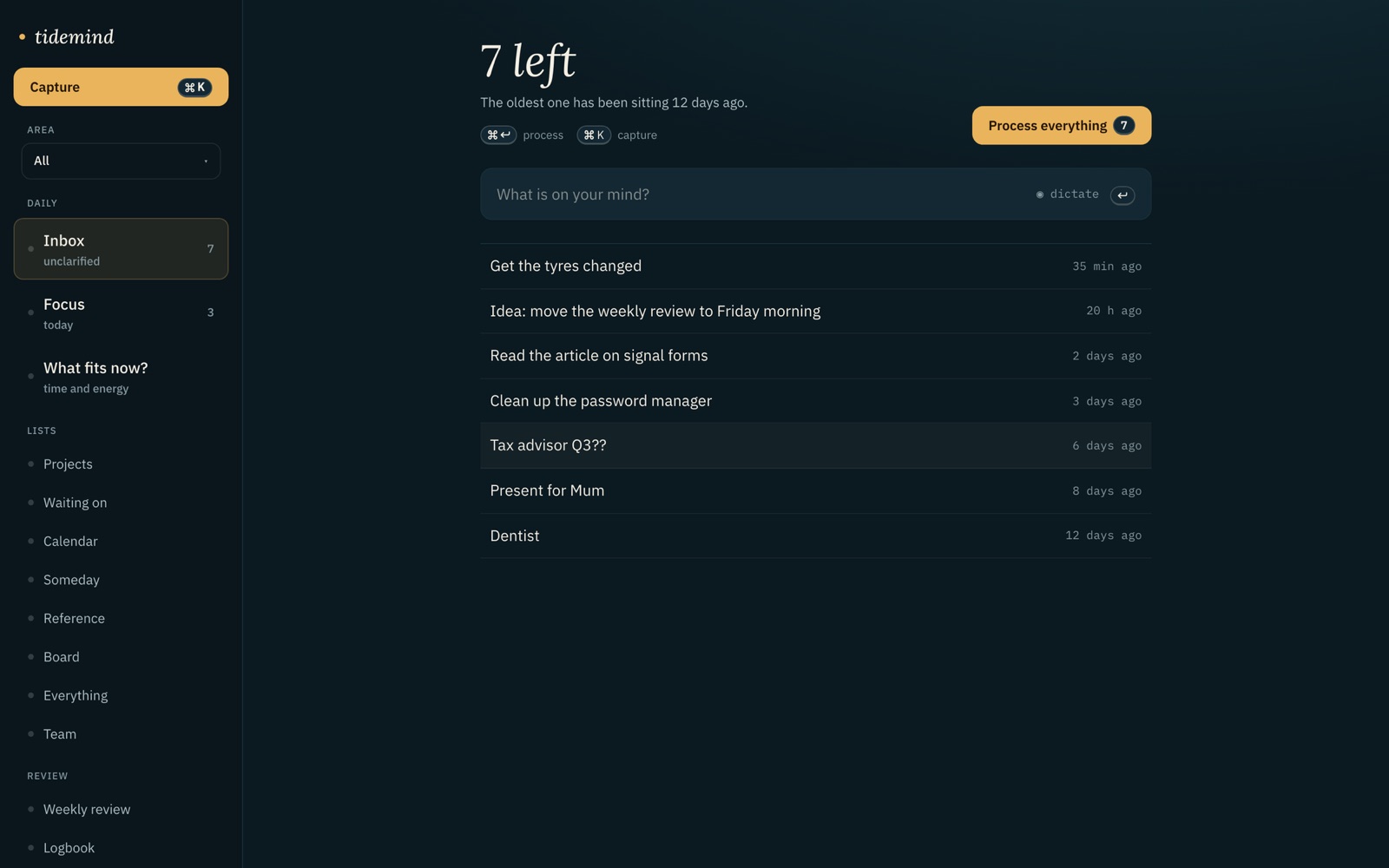
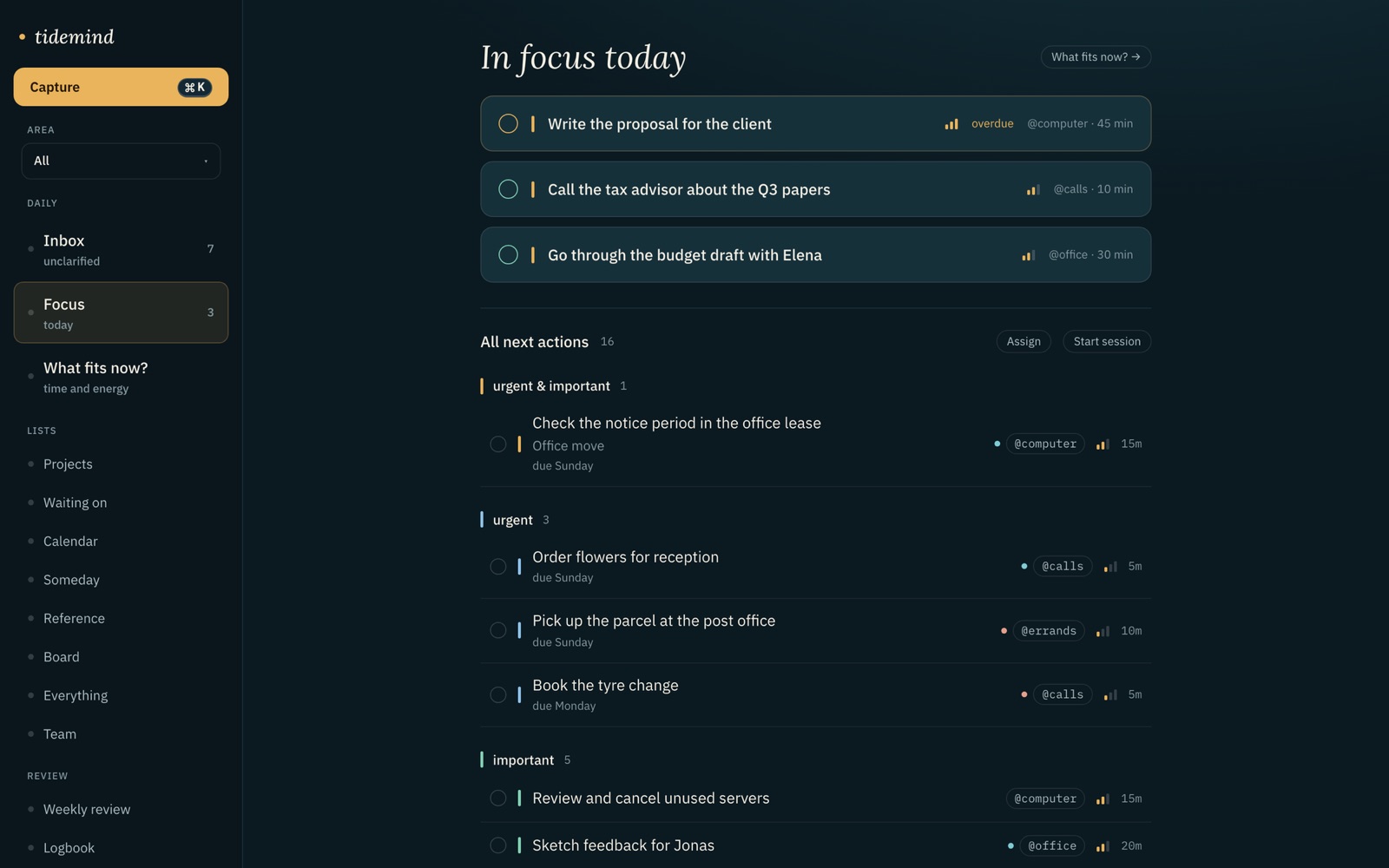
One server entry in Claude Desktop or Claude Code. 11 tools for the Getting Things Done® method. Every answer is the calculation the app itself runs: ABC rank, fit on minutes and energy, and the number of tasks that don’t fit.
{
  "mcpServers": {
    "tidemind": {
      "url": "https://mcp.tidemind.app",
      "headers": { "Authorization": "Bearer tm_••••••••" }
    }
  }
}Your assistant can already read task lists.
They come back as rows, and the model does what models do with rows: it summarises them politely and picks whatever sounds most urgent.
You wanted less to decide. You got a second opinion on a list.
The 11 tools
captureAdds an item to the inbox. Checks open tasks for duplicates and reports them.clarifyProposes next action, list, context, minutes, energy and rank for one inbox item.whats_nextRanked tasks that fit a time window and energy level, plus the count of what doesn’t.completeMarks a task done. Records the measured duration for estimate correction.deferMoves a task to someday, or puts it on a date.wait_forTurns a task into a waiting-for item with a person and a date.schedulePuts a task on a date. Returns conflicts with existing scheduled items.listOne GTD list, filtered by context, project or area.projectsProjects with health: has a next action, waiting, or stalled.review_weekThe weekly review as data: stalled projects, stale waiting-for, someday items to reconsider.searchFull-text search over tasks, projects and reference.
The proof
Turn “quote by Friday” into something I can actually do.
clarify({ inbox_id: "angebot" })
Next action Write the quote for Meridianbau and send it Friday List Next actions Context @computer 45 min energy: high Rank A · urgent & important (deadline Friday)Similar open task: “Write quote for client” (a1). Suggest merging. Why: a clear request with a deadline. The first step is writing.
How it works
What is actually there
Questions
How do I connect tidemind to Claude Desktop?
Open Settings → Connections in tidemind and copy the server entry. Paste it into claude_desktop_config.json under mcpServers, restart Claude Desktop, and the 11 tidemind tools appear in the tools menu. The token is per device and can be revoked in the same place.
What does whats_next return exactly?
Tasks ranked by ABC (urgent and important, then urgent, then important, then the rest), filtered to those that fit the minutes and energy you named. Each task carries context, estimate and rank. The response ends with the count of tasks that did not fit and, where measured, an estimate correction per context.
Does the assistant see all my tasks?
Only what a tool call asks for. whats_next returns at most ten tasks; list returns one list at a time. tidemind itself sends nothing to a model. What your assistant does with a response is governed by that assistant’s provider, not by tidemind.
Does it work with Claude Code and other clients?
Yes. tidemind speaks standard MCP over HTTP with a bearer token, so any MCP client works: Claude Desktop, Claude Code, Cursor, Zed. There is no plug-in to install and no tidemind-specific SDK.
Last updated:
Related pages
The task manager your assistant can decide with.
Join the beta — freeFree while the beta runs · no card